
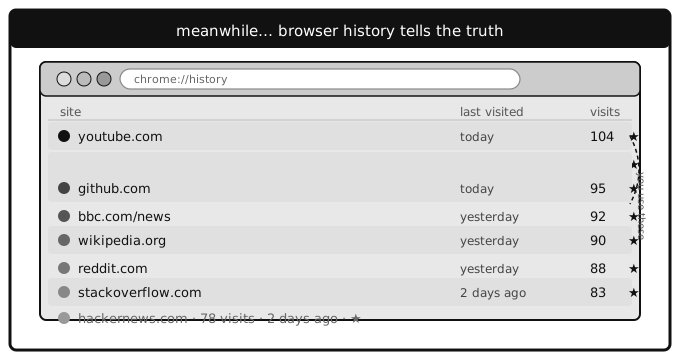
Browser history is an honest record of your attention. It captures the documentation page you keep returning to, the recipe site you visit every Sunday, the Stack Overflow answer you've opened eleven times because you can never remember that one regex pattern.
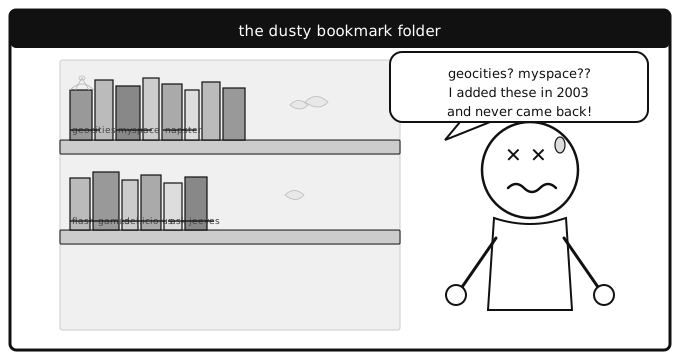
Bookmarks, by contrast, are aspirational. They're the articles you meant to read, the tools you planned to try, the courses you were definitely going to start. Your bookmark bar is a to-do list disguised as a filing cabinet.
The gap between saving and using
Most people save bookmarks with good intentions and rarely look at them again. Research by Bergman, Whittaker and Schooler found that bookmarks are systematically underused for refinding — people create them but default to other retrieval methods when they actually need to get back to a page (Out of sight and out of mind: Bookmarks are created but not used, 2021). The rest sit there, accumulating like unread books on a shelf — comforting to have, unlikely to be opened.
Browser history has no such vanity. It just records what happened. The problem is that browser history is terrible at being useful. It's a flat, unsearchable, ephemeral stream that vanishes after a few weeks. Try finding that one article you read last month about database indexing. Good luck scrolling through thousands of entries.
What if bookmarks worked more like history?
The interesting question isn't whether history or bookmarks are better — it's what happens when you combine the signals from both.
A bookmark tells you someone thought a link was worth keeping. Visit frequency tells you if they were right. Together, they paint a much clearer picture of what actually matters.
This is why LinkaGoGo tracks visit counts and last-visited dates on every bookmark. When you search your collection, you can sort by Most Visited to surface the bookmarks you actually use, or filter with visited:never to find the ones you saved and forgot about.
Reminders: bridging the intention gap
The real problem with bookmarks isn't organization — it's the gap between saving something and coming back to it. You save an article intending to read it later, but "later" never comes because nothing reminds you it exists.
LinkaGoGo's Reminders feature bridges that gap. Set a reminder on any bookmark — daily, weekly, monthly, or a custom interval — and it surfaces in your Reminders view when it's due. It's the difference between a static archive and a living collection.
Instead of bookmarks being a graveyard of good intentions, they become an active part of your workflow.
Let your history build your bookmarks
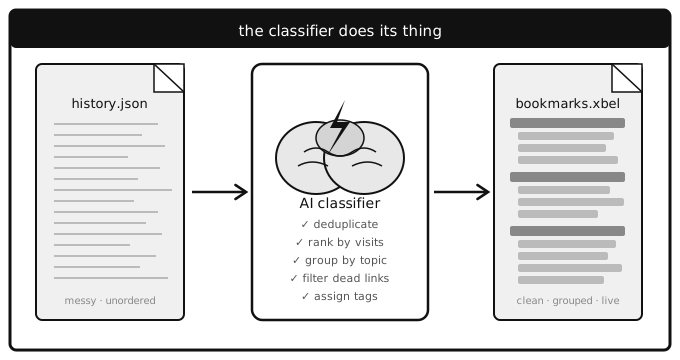
If you've been browsing for years without saving bookmarks, your history already contains everything you need. Export your browser history (most browsers let you access it via settings, extensions, or the underlying SQLite database), upload it to an AI assistant like Claude or ChatGPT, and let it generate a complete bookmark collection for you.
Here's a sample prompt — paste it along with your exported history:
` I have a browser history export file (JSON format with url, time_usec, visit_count, and title fields per entry). Please analyze it and generate a LinkaGoGo XBEL bookmark file (https://www.linkagogo.com/xbel-linkagogo.dtd) with the following rules:
Filtering
- Bookmarks visited in the last 365 days.
- Only include sites visited on 2 or more distinct days
- Exclude localhost, 127.0.0.1, and pure auth/redirect domains (e.g. accounts.google.com, checkout.stripe.com)
Bookmark attributes (all at the <bookmark> element level — no <info>/<metadata> section)
href— canonical landing page URL for the siteadded— timestamp of the first visit (ISO 8601, e.g.2025-03-14T17:25:53)visited— timestamp of the most recent visit (ISO 8601)visits— total visit count across the entire historykeywords— 1 to 6 space-separated keywords (no commas)favorite="yes"— only when the site was visited on more than 50% of the total active days in the datasetreminder="daily"— for news, newsletter, and reading sitesreminder="saturday"— for magazine, blogs, and other non-news periodicals.rss— RSS/Atom feed URL when one is publicly available for the sitesmart_url— if the site exposes an OpenSearch description (<link rel="search" type="application/opensearchdescription+xml">), populate this with the site's search URL using%sas the search term placeholder (e.g.https://example.com/search?q=%s). Escape&as&in the attribute value.alias— only on bookmarks that have asmart_url: a short 3-character (or fewer if the name is too short) lowercase identifier derived from the bookmark title: take the first character, then append the next 2 non-vowel characters found in the title (e.g. Google →ggl, Amazon →amz, Hacker News →hck). Resolve any conflicts with manual overrides.
Children (inside the bookmark element)
<title>— maximum 3 words and under 28 characters<desc>— one sentence description of the site
Folder structure
- Organize into up to 3 levels of folders by topic (e.g. News & Reading, Cycling & Fitness, Dev & Tech, Shopping & Finance, Social, etc.)
- No
idattributes on folders or bookmarks
`
The AI will analyze your history, filter out noise, organize everything into folders, and output a LinkaGoGo-compatible XBEL file. Import it via Account > Import in LinkaGoGo — visit counts, favorites, reminders, aliases, and smart search URLs all come through intact. A few minutes of work gives you a bookmark collection that reflects your actual browsing life.
Smart search: finding what you meant, not what you typed
The other lesson from browser history is that people don't think in keywords. You don't remember that you bookmarked "RFC 7231 - Hypertext Transfer Protocol (HTTP/1.1): Semantics and Content." You remember "that HTTP spec about status codes."
LinkaGoGo's search understands both. Standard keyword search handles exact matches, tags, and filters like star:4+ or visited:7d. And for Premium users, AI-powered semantic search finds bookmarks by meaning — type what you remember, and it finds what you meant.
The bookmark collection you actually use
The best bookmark manager isn't the one with the most features. It's the one that shows you what you need, when you need it. That means combining the intentionality of bookmarks (you chose to save this) with the honesty of usage data (you actually use this).
Stop treating your bookmarks like a filing cabinet. Start treating them like a living index of what matters to you.
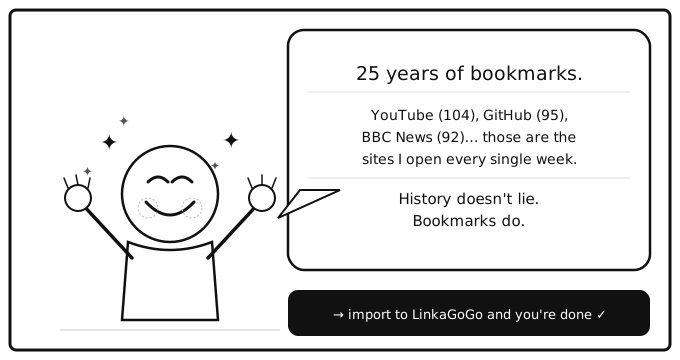
Try LinkaGoGo free for 7 days and see the difference visit tracking, reminders, and smart search make.