
It's worth knowing what that gets you — and what it doesn't.
What local mode is
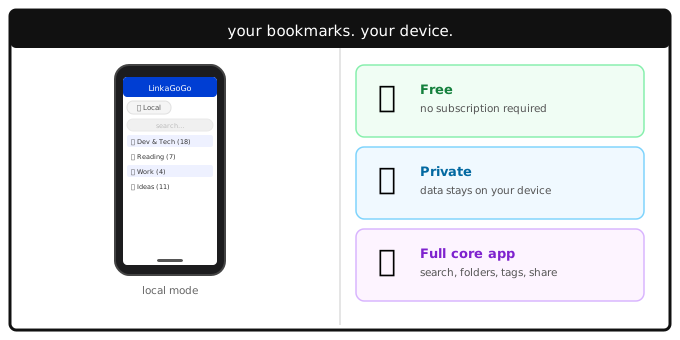
When you open LinkaGoGo on your phone without signing in, you're in local mode. Bookmarks are saved to a database on your device, organized in folders, searchable, taggable — the full core experience. The Share Extension works. Reminders work. Everything that makes LinkaGoGo useful for building a bookmark collection works locally.
The difference is where the data lives. In local mode, it lives on your phone. In cloud mode, it lives on LinkaGoGo's servers and is accessible from any device.
The case for local mode
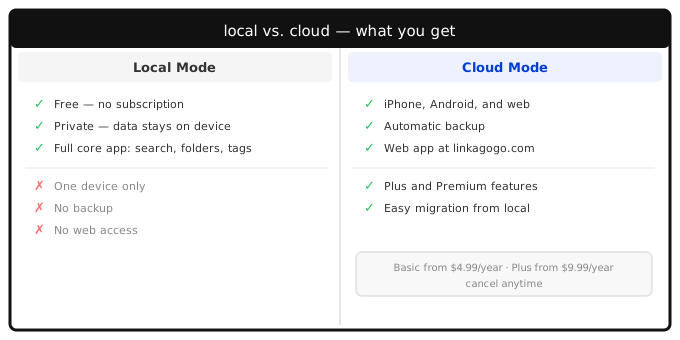
It's free. No subscription, no credit card, no trial that expires. You can use LinkaGoGo indefinitely in local mode at no cost.
It's private. Your bookmarks never leave your device. There's no account, no server storing your browsing interests, no data to be breached. If privacy is a concern, local mode removes the question entirely.
It's the real app. This isn't a stripped-down demo. You get the same interface, the same search, the same folder structure, the same keyword tagging. Using it for a few months in local mode gives you a genuine sense of how LinkaGoGo fits into how you browse — far better than a one-week trial ever could.
The case against
One device. Your bookmarks don't follow you. Save something on your iPhone and it's not on your Android tablet, not on the web, not anywhere else. If you switch phones, you'll need to export and import your bookmarks manually.
No backup. If you lose your phone or do a factory reset without exporting first, your bookmarks are gone. There's no cloud safety net.
No web access. You can't reach your bookmarks from a browser. The web app at linkagogo.com is cloud-only.
These aren't bugs — they're the natural shape of local storage. The constraints are the same as any offline-first app.
Who it's for
Local mode makes most sense if you're not sure yet whether LinkaGoGo is worth paying for. A short trial doesn't tell you much about a bookmark manager — you need time to build a collection and see how often you reach for it. Local mode gives you that time without any commitment.
It's also a reasonable long-term choice if you only use one device and aren't worried about backup. The trade-off is real, but some people genuinely don't need cross-device access or the web app.
When you're ready to switch
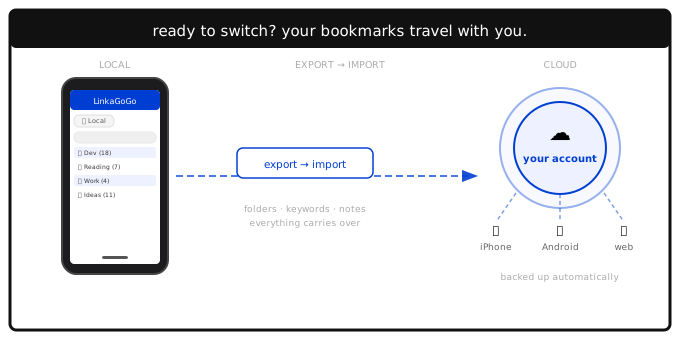
If you decide you want cloud features — access from the web, automatic backup, your bookmarks on every device — moving from local to cloud is a single operation. Export your bookmarks from local mode, create an account or start a subscription, and import. Your folder structure, keywords, and notes all carry over. Nothing gets lost in the move.
The migration is designed to be a one-time step, not an ongoing concern.
The bottom line
If you've downloaded the app and aren't sure whether LinkaGoGo is for you, local mode is the honest way to find out. Use it. Build a real collection over weeks or months. See whether you reach for it. If the answer is yes and you want your bookmarks on every device, the migration is straightforward. If the answer is no, you've lost nothing.
Local mode isn't a compromise. It's a genuinely good option — free, private, and fully functional — that happens to also be the best possible trial for the subscription.